
Carrd Portfolio Templates
Craft a stunning, customizable portfolio website or landing page, with a professionally designed Carrd template.
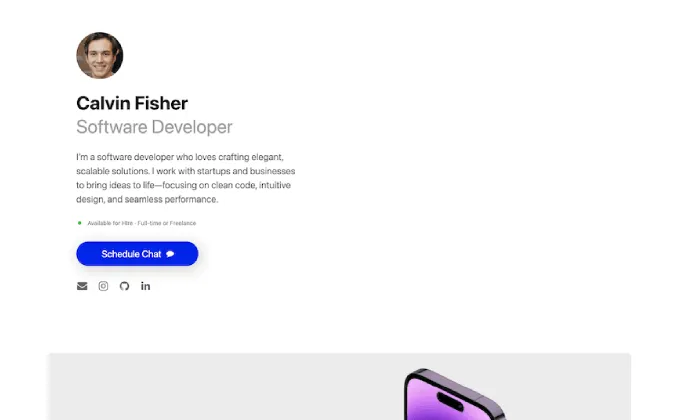
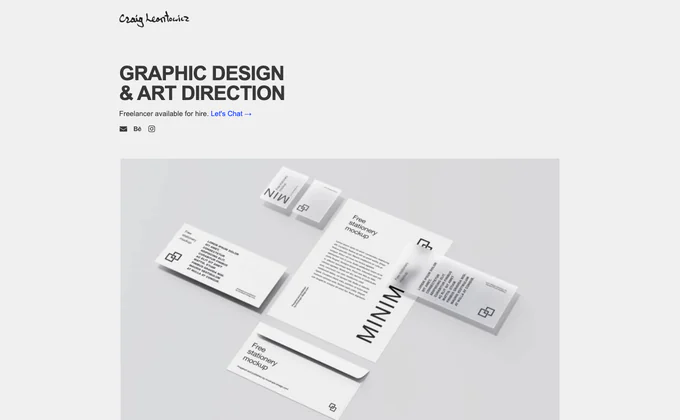
Carrd Portfolio Templates That Showcase Your Work
Your portfolio is your most important sales tool. It’s how clients decide whether to hire you, how recruiters evaluate your skills, and how collaborators find you. These portfolio Carrd templates are designed to put your work front and center with clean, distraction-free layouts that let your projects speak for themselves. Browse our complete catalog of all Carrd templates or see related free Carrd templates and agency Carrd templates.
I built each portfolio template with a simple philosophy: the design should enhance your work, not compete with it. That means clean typography, generous whitespace, and intentional layout choices that guide visitors through your projects in a logical flow.
Who Needs a Portfolio Template?
These templates are built for anyone who shows work to get work. That includes graphic designers, web developers, photographers, illustrators, UX/UI designers, copywriters, videographers, architects, and other creative professionals.
They’re also excellent for students and career changers who need to present projects, coursework, or side projects in a professional format. A well-designed portfolio site signals competence before a single word of your resume gets read.
Software developers will find these particularly useful. A portfolio Carrd that showcases your projects with links to live demos and GitHub repos makes a stronger impression than a plain resume. The Terminal template in this collection was designed specifically with developers in mind.
Why Carrd for Your Portfolio?
Portfolios have different requirements than most websites. You need fast load times so images render quickly, clean layouts that don’t distract from the work, and easy updates so you can add new projects without hassle. Carrd delivers on all three.
There’s also a practical advantage: cost. Designers and developers early in their careers shouldn’t be paying $20/month for a portfolio site. Carrd’s $19/year Pro plan gives you a custom domain, responsive design, and a site that looks like it cost 10x more to build.
The lightweight nature of Carrd means your portfolio loads almost instantly. Hiring managers and creative directors review dozens of portfolios — if yours takes more than a couple seconds to load, they’re already moving on.
What Makes a Strong Portfolio Website
The best portfolios are curated, not comprehensive. Show your 5-8 strongest projects rather than everything you’ve ever made. Each project should include a brief description of the challenge, your approach, and the result. If you can include metrics or outcomes, even better.
Every portfolio template in this collection includes sections for project showcases, an about/bio section, your skills or services, and contact information. The layouts are structured to create a natural reading flow — from “here’s who I am” to “here’s what I can do” to “here’s how to hire me.”
Choosing the Right Portfolio Template
Your portfolio template should match the type of work you do. If your work is highly visual — design, photography, illustration — choose a template with larger image sections and gallery-style layouts. If your work is more technical or writing-based, look for templates that give you space for descriptions and case study text alongside project links.
Consider the overall aesthetic too. A minimalist, dark-mode template might suit a developer or UI designer perfectly. A bright, airy layout might better represent a wedding photographer or branding designer. Pick the template that feels like a natural extension of your personal brand.
Customization Tips
Replace all placeholder content with your actual work. This sounds obvious, but I see too many portfolio sites that still have lorem ipsum in their about section or placeholder project descriptions. Take the time to write thoughtful descriptions of each project.
Use consistent image sizes and aspect ratios across your project thumbnails. This small detail makes a big difference in how polished your portfolio looks. Crop and resize your project images before uploading them to Carrd.
FAQ
Can I link to external project pages?
Yes. You can link project thumbnails or buttons to external URLs — Behance, Dribbble, GitHub repos, live websites, case study PDFs, or anywhere else your full project lives.
How many projects should I showcase?
Quality over quantity. Five to eight strong projects is ideal for most portfolios. If you’re a generalist showing range, lean toward eight. If you’re a specialist, five focused projects that demonstrate deep expertise in your niche will serve you better.
Can I add a downloadable resume?
Yes. Carrd supports file uploads and download buttons, so you can include a PDF resume that visitors can download directly from your portfolio site.
Is a Carrd portfolio good enough for professional use?
Absolutely. What matters is the quality of your work and how you present it, not the platform behind the scenes. A clean, fast Carrd portfolio outperforms a bloated WordPress site every time. Many professional freelancers and agency owners use Carrd for their personal sites.
Can I password-protect my portfolio?
Carrd Pro supports password protection on individual pages, which is useful if you need to share confidential client work with specific people.